Home Assistant Dashboard on a 55-Inch Display
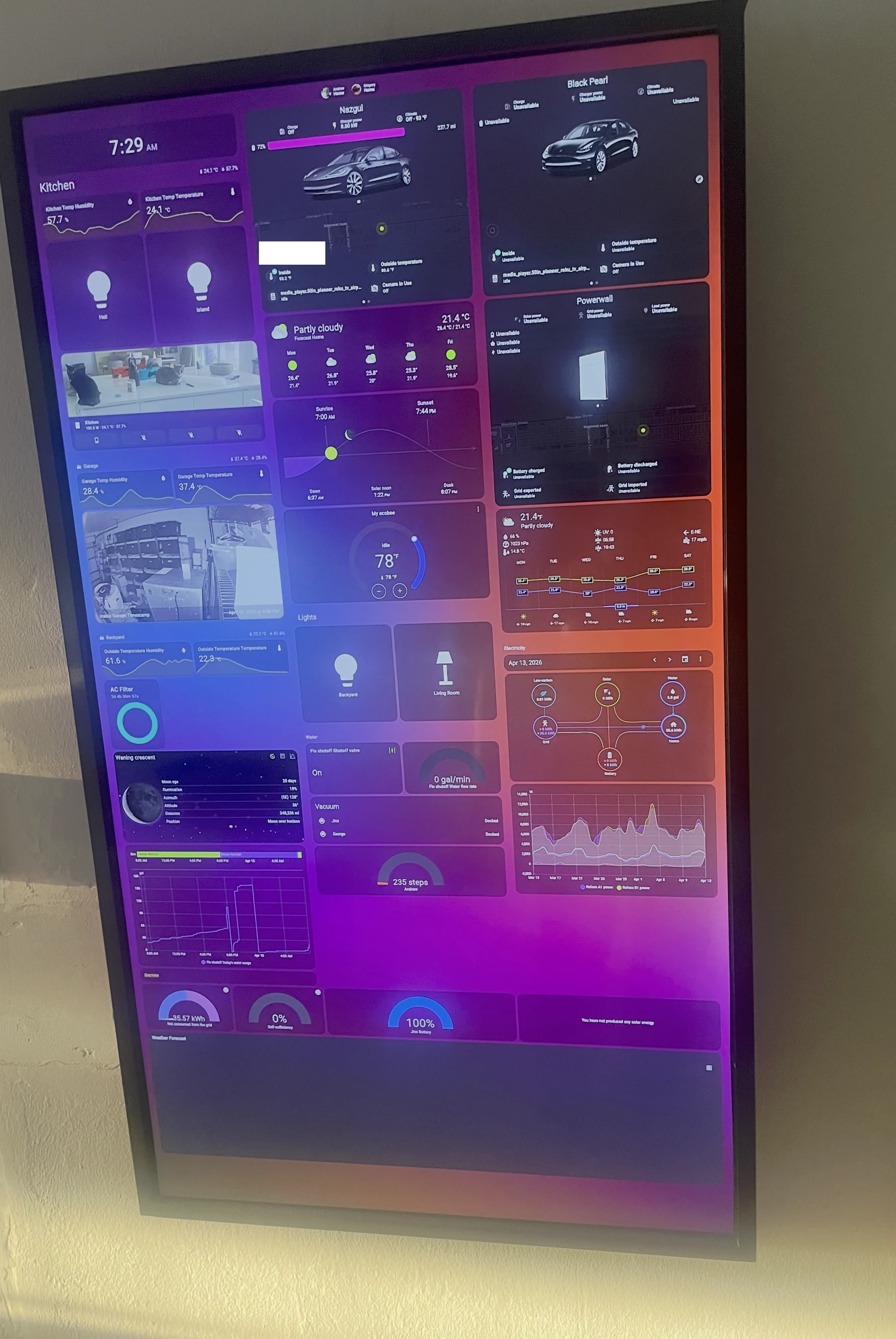
Home Assistant Dashboard on a 55-Inch Display
For those unfamiliar with Home Assistant, here’s a quick rundown of what it is and why it exists.
HA is an application that lets you manage all your smart home devices from a single place. The IoT ecosystem today is hopelessly fragmented — you need a different app for practically every device you own. Some work with Apple Home, some don’t. Some use their own proprietary apps (iRobot, for example). Others integrate with Google Home but not Apple. Some use Matter, some have their own protocol, some work with Alexa but not all of them do. You get the idea.
Managing all of this in parallel is basically untenable. That’s exactly the problem Home Assistant was built to solve. It supports virtually every protocol out there — Zigbee, Matter, HomeKit, direct API integrations — and almost any decent smart device can be connected to it.
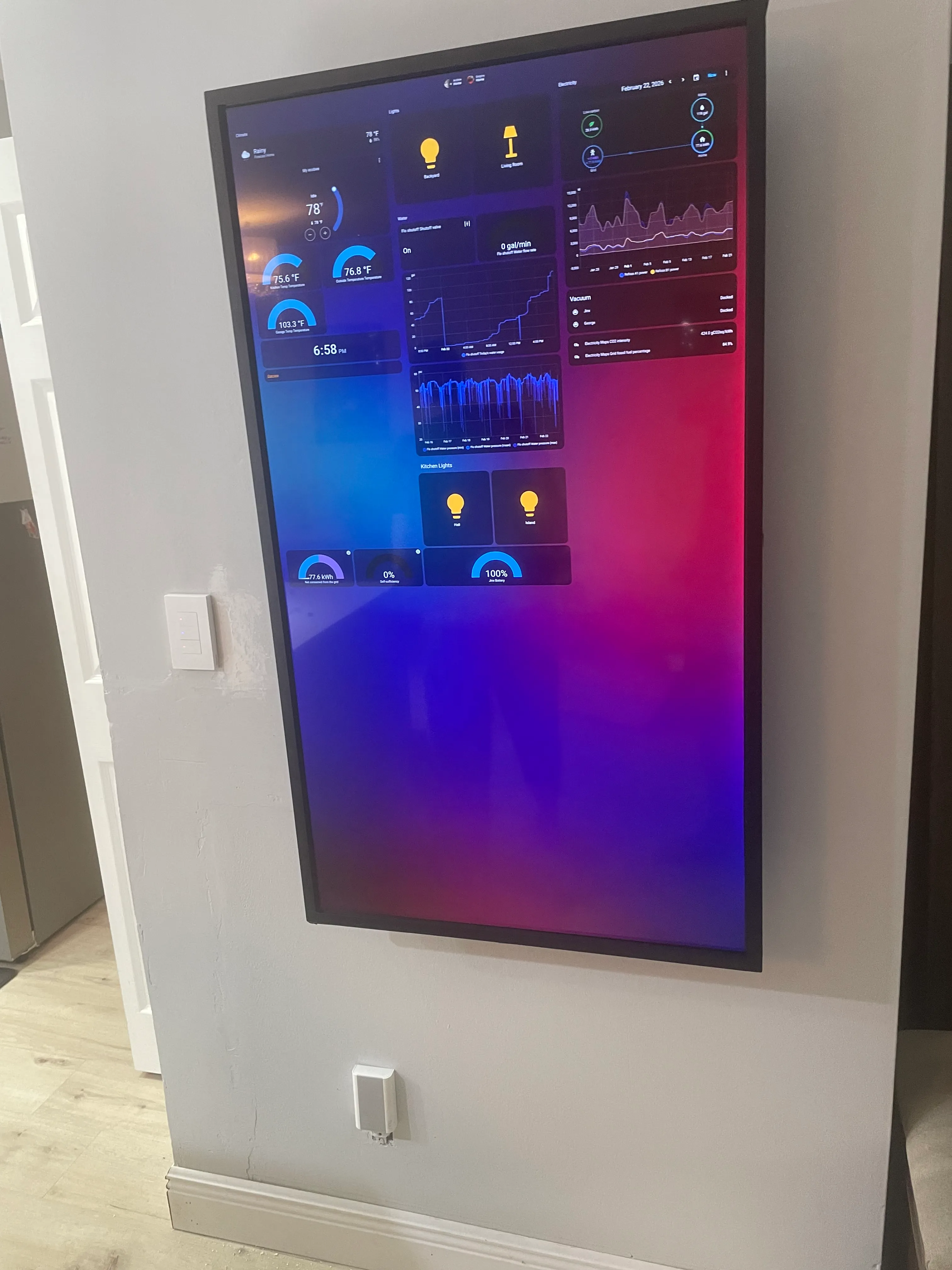
I have a lot of these devices in my home, and I keep adding more. It’s just genuinely convenient, and it lets me optimize a lot of day-to-day processes as well as energy consumption.
Before I get into the main part of this post, I want to quickly mention one specific recommendation I know a lot of people struggle with — myself included, at one point:
Smart Lights — Matter Protocol
Almost everyone I’ve talked to has had trouble with smart lights. The most common complaint is that they eventually drop their connection — whether it’s Wi-Fi, Bluetooth, or they just randomly unpair.
I’ve tested a lot of solutions and I can confidently recommend going with Matter-based smart lights. I personally use Sonoff and have had zero issues with them. They’re rock solid, and because Matter operates locally (no cloud involved), there’s virtually no latency. Oh, and if your internet goes down? Your smart lights still work.
The Stack
Now, on to the TV dashboard itself. I’ve seen plenty of posts where HA users mount an iPad or Android tablet as a control panel, and while that’s fine, an 11 or 12-inch screen always felt too cramped to me — especially when you’re managing a large number of devices.
So I went a different route:
- 55-inch TV — I picked up the cheapest available during a sale: a Pioneer TV for $150.
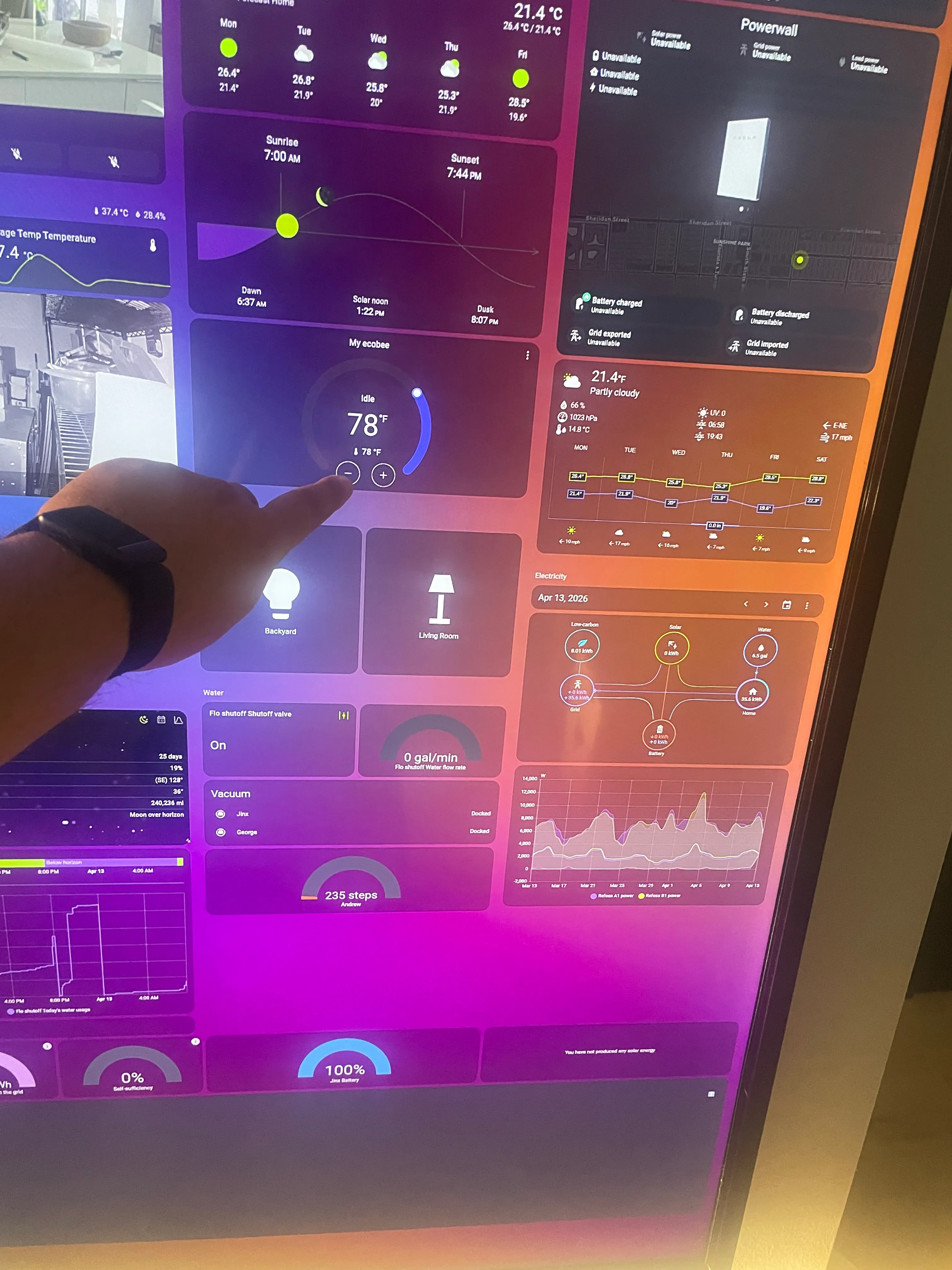
- IR touch frame — Since the TV isn’t a touchscreen, I needed a way to interact with it directly. I installed a multitouch IR frame on it for $120.
- Old Apple laptop — Repurposed as a kiosk machine. The laptop was too old for macOS updates, so I replaced it with Ubuntu Linux.
- Presence sensor — Still on the to-do list. The plan is to have the display “wake up” whenever someone walks up to it.
The Build
I decided to mount the TV vertically — like a typical digital signage display. I used a wall mount that installs inside the wall cavity to keep it as flush as possible. Unfortunately, the TV I bought has a pretty thick chassis, which kills the slim-panel aesthetic a bit. I might swap it out for something thinner down the road.
For the IR frame, I designed and 3D-printed simple brackets, attached them to the TV, and secured the frame with double-sided tape.
On the laptop side, I installed Ubuntu and the drivers for the IR multitouch frame, set up a browser in kiosk mode, and that was essentially it.
Everything works great — no lag, perfectly calibrated, genuinely useful. I’m still in the process of adding all my devices to the dashboard, but even in its current state it’s already doing exactly what I needed it to do.
A Few Devices I’m Running
Part of what makes Home Assistant worth the setup effort is seeing what’s actually possible. I draw inspiration from other people’s builds, so here’s a glimpse of what I’m currently running — maybe it’ll spark some ideas.
- Tesla vehicles — the dashboard shows real-time car info and lets me control basic functions like scheduling charging.
- Tesla Solar Panels & Powerwall — mostly read-only for now, but great for monitoring energy production and battery state at a glance.
- iRobot — start, stop, schedule, done.
- Rachio 3 — smart sprinkler control, integrated directly into HA automations.
- Smart Lights — Matter-based, as covered above.
- AC / Thermostat — running Ecobee, works flawlessly.
- Temperature & humidity sensors — placed throughout the house, including the garage and backyard.
- Ring cameras — with AI-powered notifications so I’m only alerted when it actually matters.
- Amazon deliveries — both incoming and delivered, so I always know when a package is on its way or sitting at the door.
- USPS mail notifications — I get an alert when mail is incoming, which is surprisingly useful.
- Crypto prices — live tickers pulled directly into the dashboard.
- Polymarket predictions — a fun one; I keep an eye on prediction market odds for events I’m following.
And the list keeps growing.